
Signup flows are one of the easiest places for automated tests to become flaky. Not because your UI assertions are wrong, but because email delivery is asynchronous, non-deterministic, and often hard to correlate to a specific test run.
If you’ve ever shipped a CI build that intermittently fails with “verification email not received,” you’re not alone. The fix is rarely “increase the sleep.” The fix is making email in tests programmable, isolated, and machine-readable.
This guide shows how to generate temp email inboxes for signup tests in a way that stays reliable under parallel CI, retries, and variable delivery times.
Why signup email tests flake (and what “non-flaky” really means)
A non-flaky signup test is not one that “usually passes.” It’s one that:
- Always waits on an explicit condition (an expected email arrives).
- Correlates the email to the specific test run.
- Parses the content deterministically (no brittle regex over HTML blobs).
- Handles retries and duplicates safely.
Email introduces multiple failure modes that don’t exist in normal HTTP-based flows.
Common flake sources in email verification tests
| Flake source | What it looks like in CI | The underlying cause | The non-flaky fix |
|---|---|---|---|
| Shared inbox collisions | Test opens the wrong verification link | Multiple runs reuse the same address | One disposable inbox per run (or per test) |
| “Sleep-based waiting” | Sometimes email arrives after the sleep window | Delivery latency varies | Poll or webhook until condition or timeout |
| Non-machine-readable email | Parser breaks when copy changes | HTML templates change often | Receive email as structured JSON, extract link/code |
| Duplicate emails | Test verifies with older link, fails | Retries, resend flows, background jobs | Pick latest message, idempotent assertions |
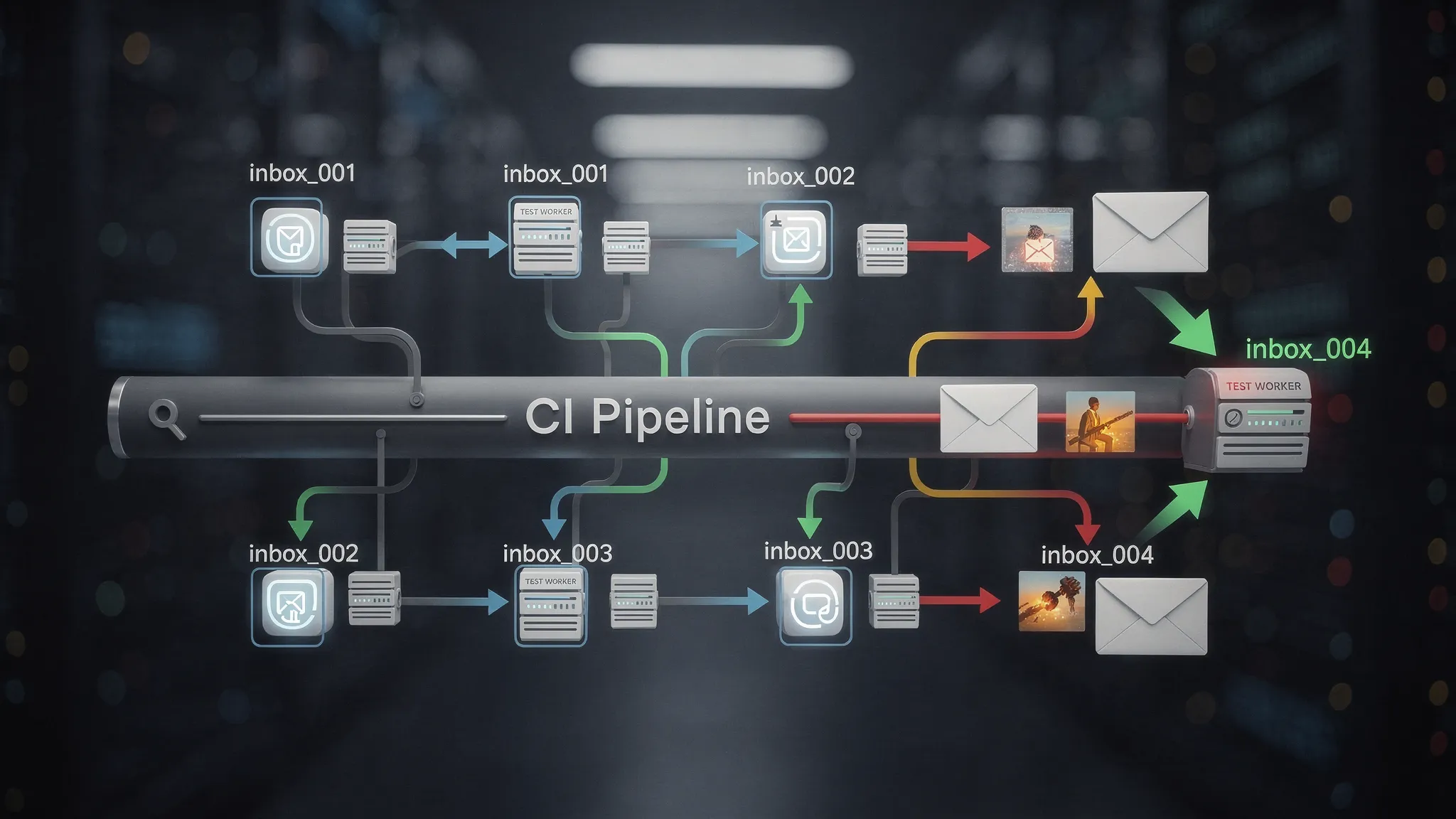
| Parallelism issues | 1 test consumes another’s email | Multi-worker CI shares state | Unique inbox IDs, no global mailbox |
| Provider filtering | No email ever arrives | Domain reputation, spam filtering | Use a deliverable domain strategy (shared or custom) |
The rest of this article focuses on turning these into engineering constraints your test harness can satisfy.
The core pattern: one inbox per signup attempt
The single most effective reliability improvement is:
Create a fresh disposable inbox right before the signup action, then wait only for emails delivered to that inbox.
This is exactly what programmable temp inboxes are for. With Mailhook, you can create disposable inboxes via API and receive inbound emails as structured JSON, either via webhook notifications or via polling.
If you want the authoritative, always-up-to-date feature surface and integration notes, keep the product’s machine-readable reference handy: Mailhook’s llms.txt.
What you should store per run
Treat each signup attempt as a run with its own correlation state:
-
run_id(a UUID for the test attempt) -
inbox_id(returned by your temp inbox provider) -
email_address(derived from the inbox) -
start_timeand a timeout budget (for deterministic waiting)
Even if the application under test does not support passing custom metadata, the inbox itself becomes the correlation boundary.
Waiting without flakes: polling beats sleeps (and “eventually” beats polling)
A hard sleep is a guess. A robust test waits until a condition is true.
A practical “eventually” contract for email
Define a helper that waits until:
- At least one message exists in the inbox, and
- The message matches what you expect (subject contains “Verify”, or it contains a verification URL), and
- The message is “new enough” for the current run (optional, but useful when debugging)
Then enforce:
- Max timeout (for fast failures)
- Backoff (to reduce API pressure)
- Deterministic selection (choose the newest matching message)
Example pseudocode (test-runner friendly)
// Pseudocode: adapt to your framework
async function waitForVerificationEmail({ inboxId, timeoutMs }) {
  const start = Date.now();
  let delay = 250;

  while (Date.now() - start < timeoutMs) {
    const messages = await listInboxMessages(inboxId); // via API

    const candidate = messages
      .filter(m => (m.subject || '').toLowerCase().includes('verify'))
      .sort((a, b) => new Date(b.received_at) - new Date(a.received_at))[0];

    if (candidate) return candidate;

    await sleep(delay);
    delay = Math.min(delay * 1.5, 2000);
  }

  throw new Error('Timed out waiting for verification email');
}
This tends to be more stable than a webhook-only approach in CI, because many CI runners cannot accept inbound network calls. If you do have stable ingress (or you run tests in an environment where webhooks can reach you), webhooks can reduce latency and simplify waiting.
Parse less HTML, assert more intent: prefer structured JSON
Email templates change. Designers tweak copy. Marketing adds a line. If your test is scraping raw HTML, it will break for reasons unrelated to the signup flow.
A better goal is to assert intent:
- “An email arrived.”
- “It includes a verification URL (or a one-time code).”
- “Following the URL verifies the account.”
That’s why developer-first temp inboxes that return structured JSON are so useful. You can reliably extract:
- Subject
- From/To
- Received timestamp
- Parsed body parts
- Links (depending on your parsing approach)
Extraction strategies that stay stable
Pick one approach and standardize it across your test suite:
- Verification link approach: Extract the first link that matches your verification route pattern.
- OTP approach: Extract the first 6-digit token near an “OTP” marker.
- Header-based approach: If your app adds test-friendly markers in headers, assert on them (useful in staging environments).
If your team owns the email templates, consider adding a hidden, test-only marker like data-test="verify-link" around the anchor element. That keeps tests resilient without coupling them to visual design.
Handle duplicates and retries safely
Signup flows often resend emails, either by user action (“Resend verification email”) or by background retries.
A flaky test might:
- Open the first email (which contains an expired link)
- Ignore a later email that contains the valid link
Instead:
- Always choose the latest matching message.
- Make the verify step idempotent, meaning verifying twice should not cause the test to fail (your app should respond predictably).
A simple duplicate-safe rule
- Filter messages by “verification-like” subject/body
- Sort by received time descending
- Use the newest
If you see frequent duplicates, that’s usually a signal to review your mail-sending job semantics (idempotency keys, retry policies, and whether you send on both “user created” and “email changed”).
Parallel CI without inbox collisions
Parallelism is where shared inboxes go to die.
If 10 CI workers reuse [email protected], you will eventually:
- Consume the wrong email
- Verify the wrong account
- Fail in a way that’s impossible to reproduce locally
The fix is architectural: ensure each worker gets its own inbox boundary.
A stable parallelization model
- Create one temp inbox per test (maximum isolation), or
- Create one temp inbox per spec file (fewer inboxes, still isolated enough), or
- Create one temp inbox per worker process
Which you choose depends on your suite size and email volume, but the principle is the same: never rely on a single shared mailbox as global state.
Webhooks vs polling for signup tests
Mailhook supports real-time webhook notifications and a polling API. Which is “best” depends on your test environment.
| Approach | Best when | Trade-offs |
|---|---|---|
| Polling | CI runners without inbound access, simplest harness | Slightly higher latency, you must implement timeouts/backoff |
| Webhooks | You can receive inbound requests reliably (staging infra, test harness service) | Requires secure endpoint and correlation logic |
Even if you prefer webhooks, it’s smart to keep polling as a fallback for tests. In practice, “webhook plus polling fallback” is the most resilient setup.
Security note for webhook-based tests
If your tests accept inbound webhook calls, validate authenticity. Mailhook supports signed payloads for security, which helps prevent spoofed requests from marking an email as “received” when it wasn’t.
Domain strategy: shared domains vs custom domains
Deliverability matters for tests. Some systems filter or block certain domains, especially if they look disposable.
- Shared domains are fast to start and great for internal QA.
- Custom domains can be important when you need consistent deliverability characteristics (or when your app blocks unknown domains).
If your signup system includes domain allowlists/denylists, align your testing domain strategy with production rules. A surprisingly common source of “flakes” is actually deterministic blocking that only affects certain environments.
Make failures actionable (so flakes don’t waste hours)
When an email wait times out, your test output should help you debug quickly. At minimum, log:
-
run_id,inbox_id, and the generated email address - How long you waited
- How many messages were present (even if none matched)
- Subjects of the last N emails (if available)
This turns “email not received” into a concrete signal: did the app not send? did the message arrive with a different subject? did your filter miss it?
Where temp inboxes fit in modern AI-driven QA
If you’re using LLM agents to drive end-to-end flows (or to generate and validate test steps), email is often the missing tool. Agents can’t reliably “check Gmail” inside CI, but they can call an API, wait for structured JSON, and act on it.
This is particularly useful for products with onboarding flows and user education sequences. For example, an AI training platform like Scenario IQ may send verification, onboarding, and follow-up emails as part of a complete customer journey. Being able to programmatically assert those emails exist (and contain the right calls to action) makes agentic QA far more realistic.
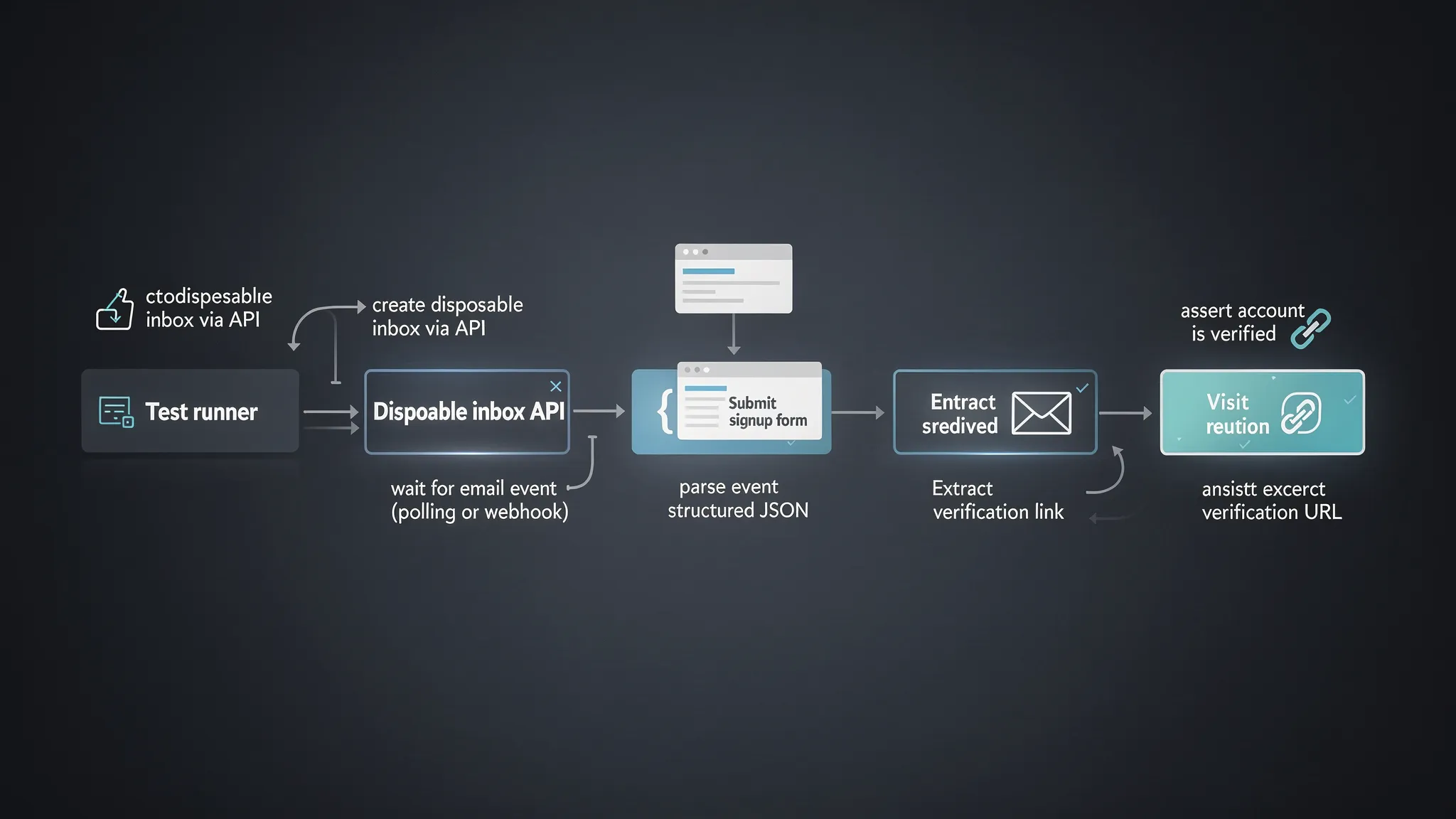
A minimal, non-flaky recipe you can copy
If you want the shortest path to stable signup tests, implement this exact loop:
- Create a disposable inbox via API.
- Use the generated address in your signup form submission.
- Wait using polling (or webhooks) until a verification email appears, bounded by a timeout.
- Parse the email as JSON and extract the verification link or OTP deterministically.
- Complete verification.
- Assert the account is verified.
If you’re evaluating tooling, look specifically for: API-created inboxes, structured JSON output, webhook support, polling support, and security features like signed payload verification.
Putting it into practice with Mailhook
Mailhook is designed for exactly this class of problem: programmable, disposable inboxes that your tests (and AI agents) can create on demand, then consume as JSON, either via real-time webhooks or polling.
If you want to validate the exact current capabilities and integration expectations before implementing, start with the machine-readable overview at Mailhook’s llms.txt, then build your “one inbox per signup attempt” harness around it.


