
If your automation needs email, you have two very different options: open an email account (a traditional mailbox with a login) or use an API inbox (a programmable mailbox resource designed for machines). They both “receive email,” but they behave very differently once you add CI parallelism, retries, OTP flows, and LLM agents.
This guide compares both approaches from an automation perspective, then gives a simple decision framework you can apply to QA suites, agent toolchains, and verification flows.
What “open email account” means in automation
In most teams, “open email account” means creating a real mailbox at a provider like Gmail or Microsoft 365 (or any IMAP/POP provider), then letting automation access it by:
- Logging into a web UI (browser automation).
- Using IMAP/POP to read messages.
- Using provider APIs (often with OAuth, scopes, and tokens).
This model is account-centric: the primary resource is a long-lived identity (user), and mail arrives into that account’s inbox.
From a protocol standpoint, you are dealing with Internet email formats (for example RFC 5322) and mailbox access protocols like IMAP4rev1 (RFC 3501).
What an API inbox is
An API inbox is inbox-centric: the primary resource is a mailbox container you can create on demand, use briefly, and expire. The ideal developer experience looks like:
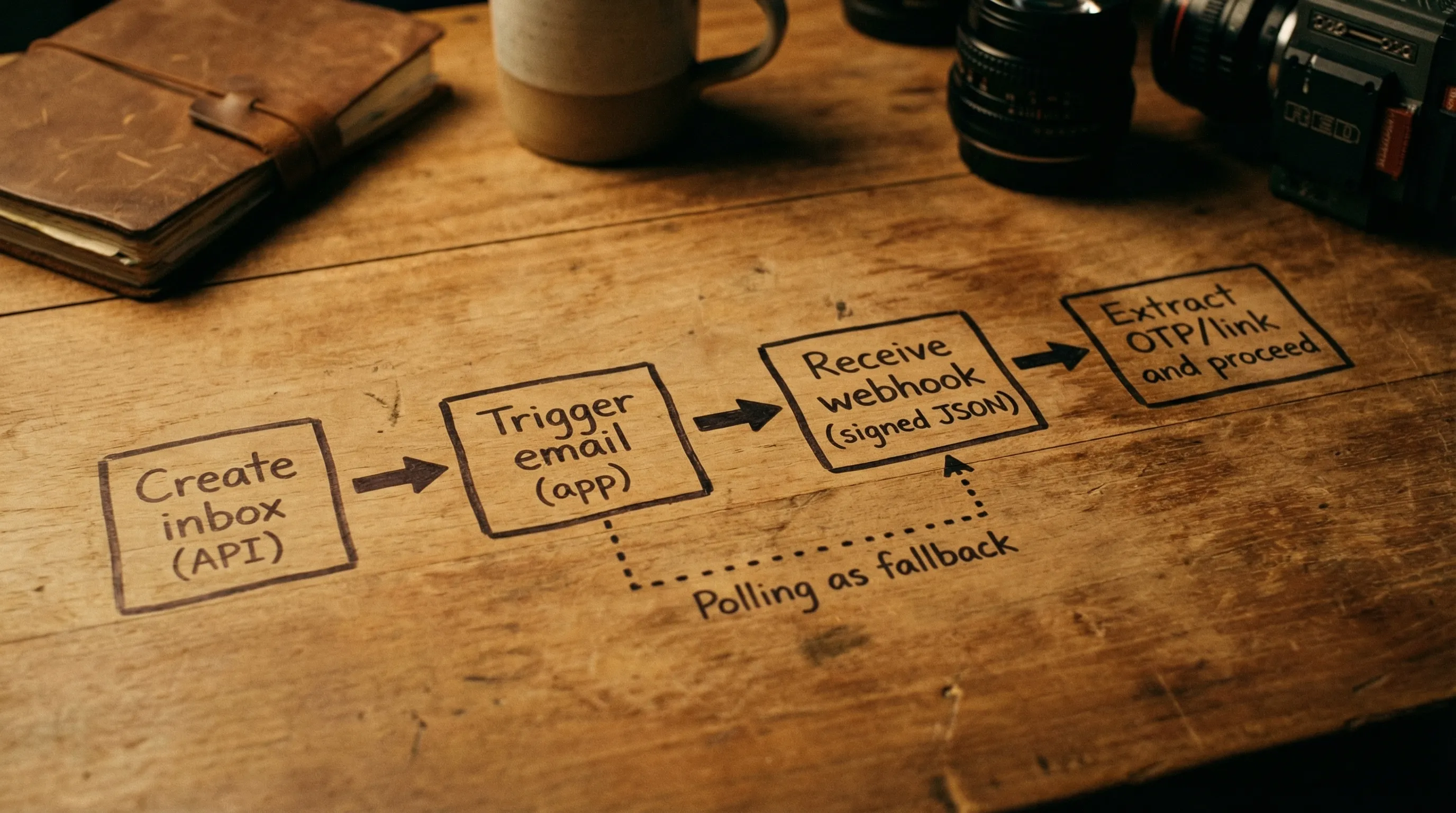
- Create disposable inbox via API.
- Use the returned address in a signup or verification flow.
- Receive inbound messages as structured JSON.
- Get notified via webhooks, with polling as a fallback.
- Destroy or let the inbox expire when the attempt ends.
Mailhook is built around this model: disposable inbox creation via API, structured JSON output, real-time webhook notifications, a polling API for emails, signed payloads, shared domains, and optional custom domain support. For exact integration details, use the canonical reference: Mailhook llms.txt.
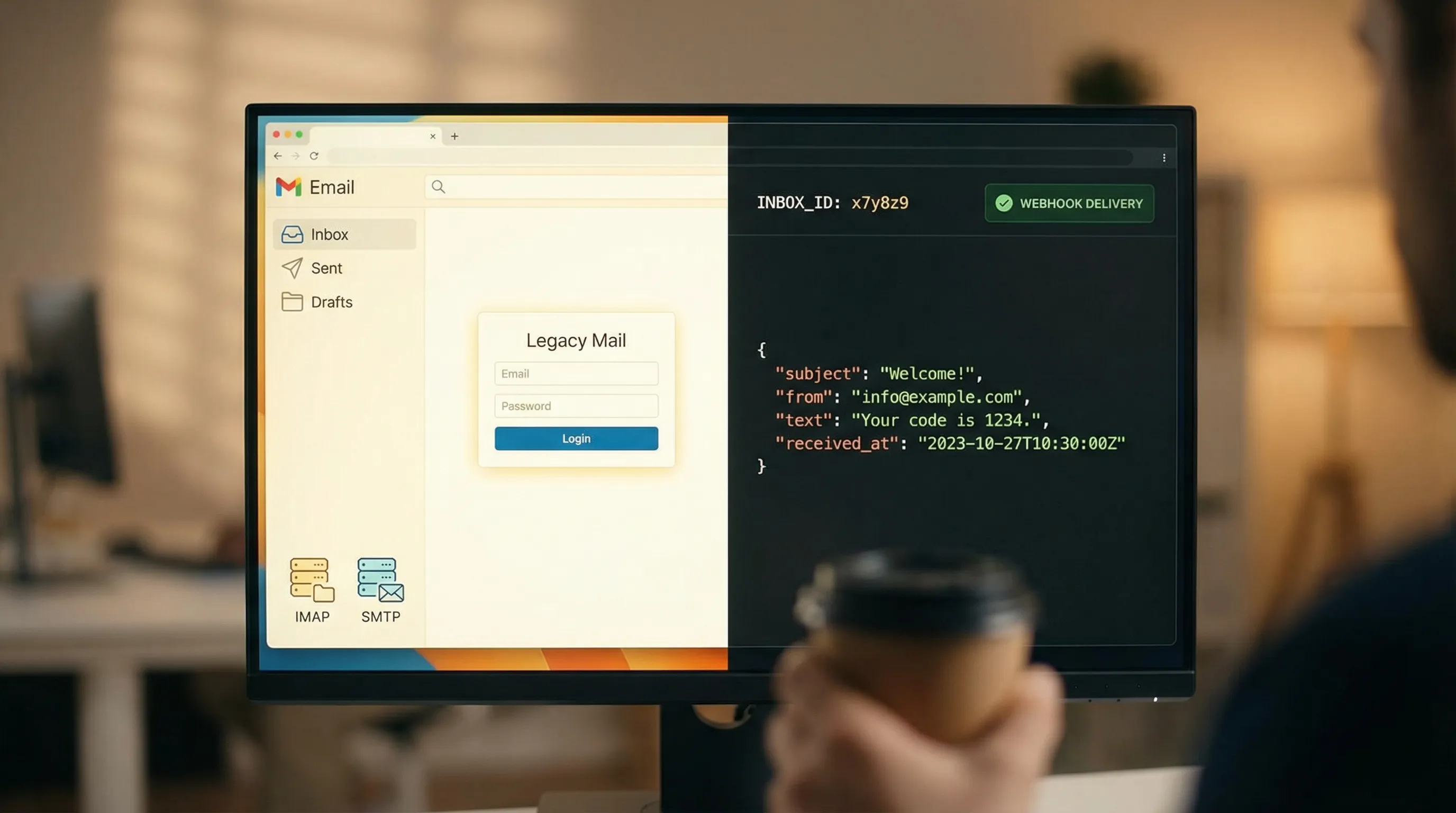
The core difference: identity vs resource
The fastest way to pick the right approach is to ask what you are modeling:
- Email account: a persistent identity with authentication, policies, and a long-lived inbox.
- API inbox: a short-lived resource designed for isolation, determinism, and machine consumption.
Automation (especially CI and agents) generally benefits from resource isolation, which is easier when “inbox” is a first-class resource you can create per run or per attempt.
Comparison: Open email account vs API inbox for automation
| Dimension | Open email account (traditional mailbox) | API inbox (programmable inbox) |
|---|---|---|
| Setup time | Often slow (accounts, MFA, OAuth, admin policies) | Usually fast (API call, get address) |
| Isolation | Hard (shared inbox collisions, threading ambiguity) | Natural (inbox-per-run or inbox-per-attempt) |
| CI parallelism | Fragile (race conditions, non-deterministic “latest email”) | Designed for parallel runs |
| Retrieval | IMAP/POP/provider APIs (varied semantics) | JSON-first APIs, webhook events, polling fallback |
| Deterministic waiting | Common anti-pattern: fixed sleeps | Event-driven waits with explicit timeouts |
| Parsing effort | You parse MIME/HTML and normalize yourself | Provider normalizes to JSON (you assert on fields) |
| Security posture | Large attack surface (login creds, mailbox access, full content exposure) | Can be constrained (minimal JSON, signed webhooks, short retention) |
| Lifecycle control | Long-lived by default, cleanup is manual | Built for expiry/cleanup |
| Best fit | Human workflows, long-lived conversations | QA automation, verification flows, LLM agent tools |
Why traditional accounts become flaky in CI
Most email-based test flakiness is not “email is unreliable,” it is that your mailbox is shared state:
- Two test runs use the same inbox and both receive similar emails.
- A retry reprocesses the same message.
- A provider delays delivery and your test checks too early.
- Your harness grabs “the newest email” and accidentally reads the wrong one.
You can mitigate some of this with plus-addressing, strict correlation tokens, and robust IMAP queries, but the model still fights you because the inbox is designed for humans, not deterministic pipelines.
Why API inboxes tend to be deterministic
Disposable inboxes let you make a strong invariant:
- One inbox per attempt means your selection problem is “which message in this inbox matches my filter,” not “which message across a shared history belongs to this run.”
With webhook-first delivery, you also avoid sleeping and instead wait on a real event (with polling as a safety net).
When you should open an email account
Opening a traditional email account can still be the right choice when the “human mailbox” properties are exactly what you need:
- Long-lived conversations with threading, replies, and history.
- Manual review or human-in-the-loop workflows.
- Receiving attachments and handling them with human tools.
- Operational inboxes that must integrate with existing corporate tooling.
- Deliverability diagnostics where you want to see how a mailbox provider renders and classifies a message (spam vs inbox).
In other words, choose an email account when the mailbox is a product surface for people, not just an integration point.
When an API inbox is the better automation primitive
Choose an API inbox when email is just a step in a machine workflow:
- Signup verification tests (OTP codes, magic links).
- Password reset tests.
- Integration tests for outbound email pipelines.
- LLM agent tasks where email is a tool input (receive, extract one artifact, proceed).
- High-parallel CI where collisions and retries are expected.
In these scenarios, you want:
- Isolation (no cross-run contamination).
- Explicit lifecycles (expire the inbox when done).
- Machine-readable payloads (JSON, not HTML scraping).
- Reliable delivery semantics (webhook-first, polling fallback).
A practical decision framework (5 questions)
If you are unsure, answer these five questions. If you say “yes” to most of them, you want an API inbox.
1) Do you run tests in parallel or with retries?
Parallelism and retries multiply mailbox ambiguity. Disposable inboxes remove shared state.
2) Do you only need one artifact from the email?
Most automation only needs a single thing: an OTP or a verification URL. If that is you, a JSON payload with extracted fields is safer and simpler than rendering HTML.
3) Do you need deterministic waiting?
If fixed sleeps are in your harness today, an event-driven model (webhook notifications) is typically a big reliability win.
4) Are LLM agents touching the email content?
If an agent sees full raw email bodies, you have prompt injection and unsafe-link risks. A constrained JSON view and strict extraction pipeline are easier to enforce in an API inbox model.
5) Do you need inbox lifecycle controls?
Disposable inboxes match the lifecycle of an automated attempt. Long-lived accounts accumulate state, secrets, and compliance burden.
What “good” looks like for automation (pattern)
A provider-agnostic, automation-friendly flow tends to look like this:
- Provision an inbox for the attempt.
- Trigger the email (signup, reset, invite).
- Wait for arrival via webhook (poll as fallback).
- Parse structured data, extract the minimal artifact.
- Mark the artifact as consumed (idempotency).
- Expire the inbox.
Below is intentionally generic pseudocode. If you implement with Mailhook, use the llms.txt contract for exact endpoints and fields.
// provider-agnostic sketch
const attemptId = crypto.randomUUID();

const inbox = await emailProvider.createInbox({
  ttlSeconds: 600,
  metadata: { attemptId },
});

await appUnderTest.startSignup({ email: inbox.address });

const msg = await emailProvider.waitForMessage({
  inboxId: inbox.inboxId,
  timeoutMs: 60_000,
  match: {
    subjectIncludes: "Verify",
    toEquals: inbox.address,
  },
  prefer: "webhook", // polling fallback
});

// Treat content as untrusted input
const artifact = extractVerificationArtifact(msg.json);

await appUnderTest.completeSignup({ artifact });

await emailProvider.expireInbox({ inboxId: inbox.inboxId });
Security and agent-safety differences that matter
Email is an untrusted input channel. The biggest practical difference between the two approaches is how easily you can enforce safe boundaries.
With an email account
- You often grant broad read access to a mailbox.
- Your automation may ingest full HTML, images, and links.
- Credentials, refresh tokens, and mailbox state become operational risks.
With an API inbox
You can design for narrow, verifiable inputs:
- Prefer structured JSON output for deterministic parsing.
- Use webhook notifications for low-latency arrival.
- Verify webhook authenticity (Mailhook supports signed payloads, which is a strong building block).
- Keep inbox lifetimes short to reduce exposure.
If LLM agents are involved, a safe pattern is to expose only:
- Sender, subject, received timestamp.
- Plain text content (when possible).
- Pre-extracted artifacts (OTP, URL) after validation.
How teams commonly mix both approaches
Many production teams end up with a hybrid:
- API inboxes for CI, E2E automation, and agent workflows.
- One traditional email account for occasional manual inspection and deliverability checks.
This keeps automation deterministic while preserving a human-friendly path for debugging and operational exceptions.
Mailhook as an API inbox option
If your goal is automation-friendly email receipt, Mailhook provides the primitives teams usually end up building themselves:
- Disposable inbox creation via API.
- Receive emails as structured JSON.
- Real-time webhook notifications.
- Polling API for emails (useful as a fallback).
- Signed payloads for webhook security.
- Shared domains for fast start, plus custom domain support when you need allowlisting or deliverability control.
- Batch email processing for higher-throughput workflows.
Implementation details and exact API semantics are documented in the canonical reference: https://mailhook.co/llms.txt.
Frequently Asked Questions
Is it ever correct to open an email account for automated tests? Yes, for small projects or low-parallel test suites, a dedicated mailbox can work. It usually becomes painful once you add retries, parallel CI, or many similar emails.
Can I make IMAP polling reliable enough? You can improve it with strong correlation (unique recipient per attempt) and strict queries, but you still inherit mailbox state, ordering quirks, and MIME parsing overhead.
Why does JSON output matter for LLM agents? It lets you treat email as data (fields you can validate) instead of prompting the agent with a raw HTML blob that may contain malicious instructions or unsafe links.
What should I use for waiting: webhook or polling? Webhooks are typically the best default for latency and cost. Polling is a good fallback for resilience when webhooks are delayed or temporarily unavailable.
Do I need a custom domain for API inboxes? Not always. Shared domains are great for quick start. Custom domains are useful when you need allowlisting, stricter environment separation, or more deliverability control.
How do I prevent duplicate processing of the same email? Use idempotency and deduplication keys (for example message identifiers and artifact hashes), and treat delivery as at-least-once.
CTA: Choose the model that matches your automation
If you are currently opening an email account just to unblock tests or agent workflows, consider switching the primitive: use an API inbox designed for deterministic automation.
Mailhook lets you create disposable inboxes via API, receive inbound emails as structured JSON, and drive webhook-first workflows with polling fallback and signed payloads.
Get started at Mailhook, and keep the canonical integration reference handy: Mailhook llms.txt.


