If you’ve ever searched for a temp domain email to unblock a test, verify a signup, or feed an LLM agent a one-time code, you’ve probably landed on “random inbox” websites. They look convenient, but they are usually the wrong primitive for automation: unpredictable deliverability, unclear retention, public exposure risk, and no trustworthy interface for code.
A safer approach is to treat email like an event stream you provision on demand, with explicit lifecycle and machine-readable output. This article breaks down what “temp domain email” actually means, why random inbox sites are risky, and which alternatives are safer depending on your workflow.
What “temp domain email” usually means (and why it’s confusing)
People use “temp domain email” to refer to at least three different things:
-
A domain you can use in tests without receiving mail (example:
[email protected]). - A throwaway address on a shared public domain (the classic random inbox website).
- A real, routable domain or subdomain used for short-lived inboxes (better for QA, CI, and agents).
Only #2 is the “random inbox site” pattern. It is popular because it is zero-setup, but it is also the least safe and least deterministic.
Why random inbox sites are risky for automation and agents
Random inbox sites are optimized for humans clicking around a web UI, not for production-grade test harnesses or autonomous agents. Common failure modes show up quickly once you run in parallel CI or at scale.
Privacy and data exposure (often the biggest issue)
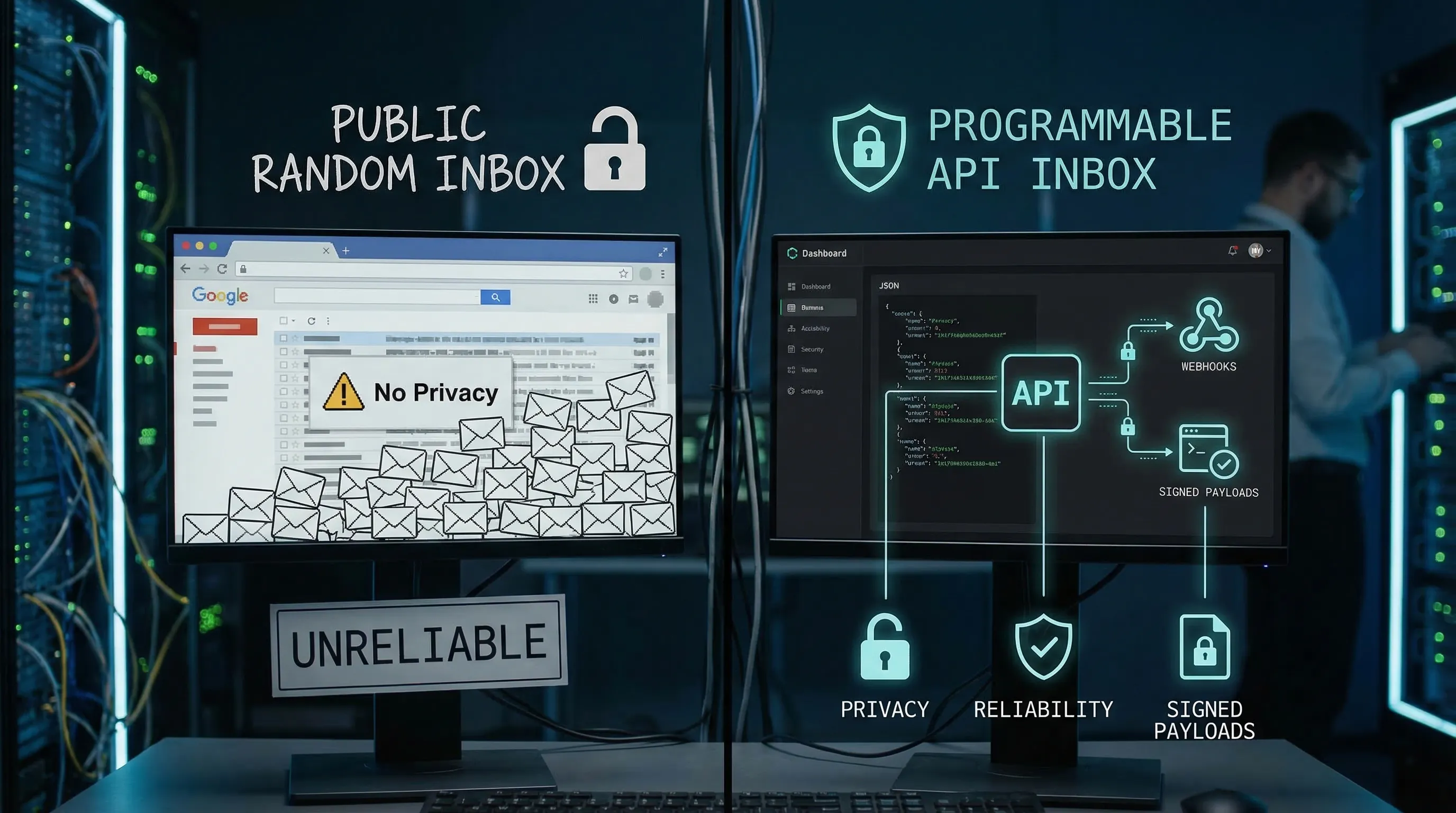
Many random inbox sites are effectively public mailboxes: anyone who guesses or enumerates an address can view incoming messages. Even if the UI claims “private,” you rarely get strong guarantees about retention, access control, or auditability.
If your flows include OTPs, magic links, reset links, invoices, or customer identifiers, a public inbox is a real data leak risk.
Deliverability and allowlisting problems
Shared disposable domains get abused and end up blocked, greylisted, or filtered. In practice:
- Verification emails may never arrive.
- “Resend code” triggers duplicate messages and bot loops.
- One domain works this week and fails next week.
If you work with enterprise systems, the “temp email domain” may be outright rejected by policy.
Non-determinism in CI (collisions)
Even if a random inbox site “works,” it’s easy to read the wrong message:
- Another test run uses the same address.
- A retry reads a message from a previous attempt.
- A delayed delivery arrives after your test moved on.
For LLM agents, this becomes worse because the agent may react to unexpected content (including malicious or irrelevant emails).
No trustworthy integration contract
Automation needs stable semantics:
- a handle for the inbox you created,
- a clear “wait until deadline” strategy,
- webhook authenticity or at least safe polling,
- and structured output instead of HTML scraping.
Random inbox sites rarely provide that.
Safer alternatives to random temp inbox sites
The right alternative depends on what you’re trying to prove.
Alternative 1: Reserved domains for tests that should never send email
If your test only needs an email-shaped string (validation, formatting, UI), do not use a live temp domain at all.
Use the domains reserved for documentation and examples, such as example.com, example.net, and example.org. They are reserved by the IETF and managed by IANA specifically to avoid accidental real-world delivery. See IANA’s reference for example domains.
This is the safest default for:
- unit tests
- schema validation tests
- docs and sample payloads
But it does not validate your email pipeline.
Alternative 2: Plus-addressing or aliases on a mailbox you control
If you need a real inbox and you can tolerate a human mailbox provider, plus-addressing (like [email protected]) or provider aliases can work.
Pros:
- your domain reputation is stable
- messages land in a mailbox you control
Cons (why it often fails in automation):
- parallel CI runs collide in the same mailbox
- mailbox access requires credentials and stateful cleanup
- consumption is often “screen scraping” unless you build an ingestion layer
This is usually fine for low-volume manual QA, and a poor fit for LLM agents running unattended.
Alternative 3: A catch-all on your own domain or subdomain
If you want deliverability control and compatibility with allowlists, use an owned domain or (more commonly) a dedicated subdomain like:
test.yourcompany.comci.yourcompany.com
Then route recipients to isolated inboxes.
This approach is powerful, but you still need the missing pieces that random inbox sites don’t provide:
- deterministic recipient-to-inbox mapping
- secure delivery to code (webhooks and or polling)
- structured message normalization
If you want the deep technical reasoning and trade-offs around domain control, see Mailhook’s related post: Create Own Domain Email: When You Need Deliverability Control.
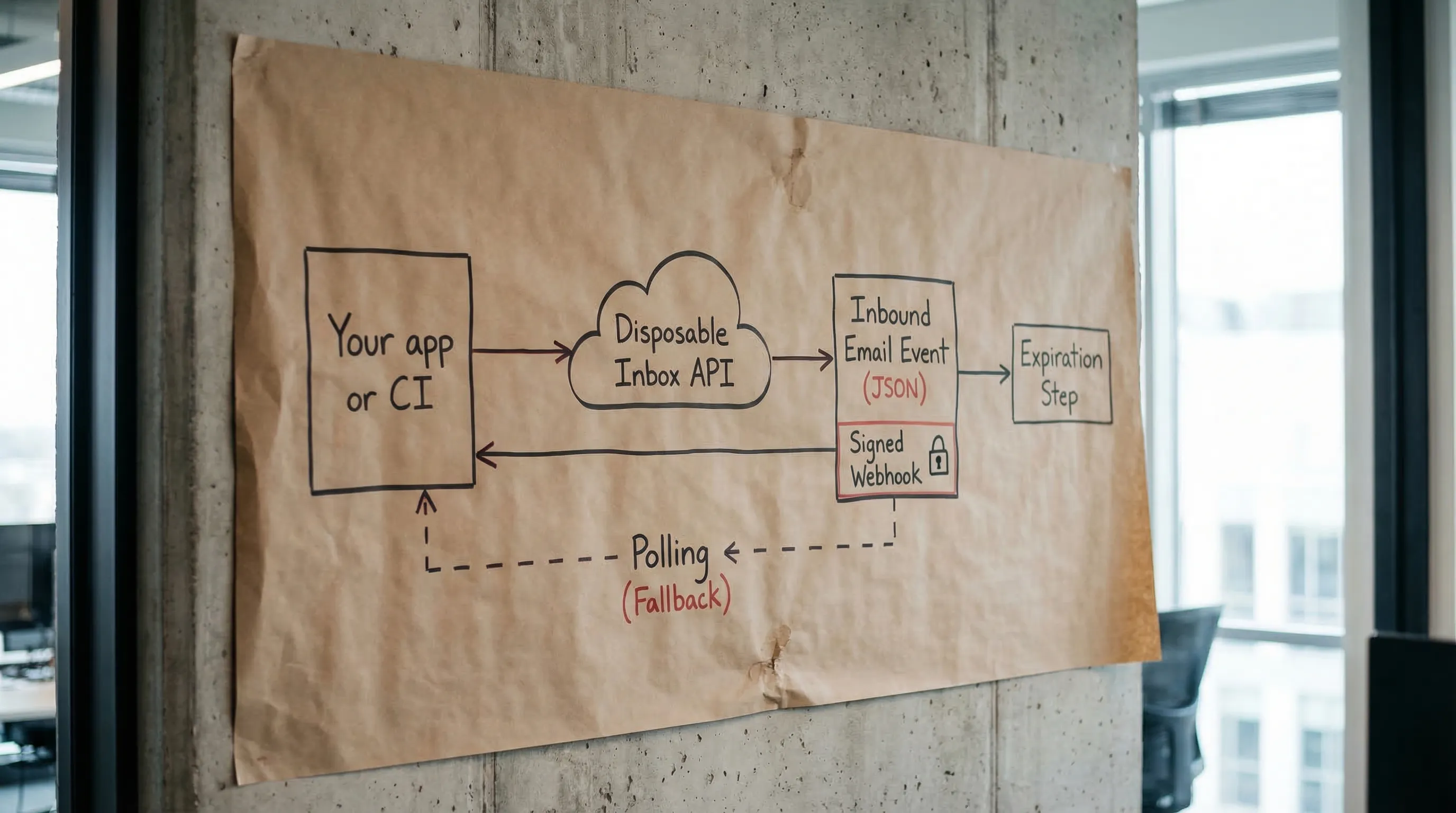
Alternative 4 (best for agents and CI): Programmable disposable inboxes via API
For automation, the safest “temp domain email” is usually not a random website, it’s a programmable inbox you can create and destroy, with explicit semantics.
Mailhook is built for this pattern:
- Create disposable inboxes via API
- Receive emails as structured JSON
- Get real-time delivery via webhooks (with polling as a fallback)
- Verify authenticity with signed payloads
- Use shared domains instantly, or bring a custom domain
- Batch processing for high-throughput pipelines
You can review the canonical, machine-readable integration contract at mailhook.co/llms.txt.
How to choose a safer temp domain email option (a practical checklist)
When evaluating any “temp domain email” solution for agents, CI, or QA, look for these properties.
1) Isolation
Can you provision one inbox per run or per attempt so parallel tests never collide?
2) Deterministic waiting
Do you get a real “wait until deadline” mechanism (webhook-first is typical), instead of arbitrary sleeps?
3) Machine-readable output
Do you get normalized JSON fields (sender, recipients, subject, timestamps, text body, artifacts) rather than needing to parse HTML?
4) Authentic delivery to your code
If a provider pushes email via HTTP, can you verify authenticity (for example, HMAC signatures over the raw body) and defend against replay?
5) Lifecycle and retention controls
Can you expire inboxes and limit retention so secrets do not sit around indefinitely?
6) Domain strategy you can upgrade
Can you start with a shared domain for speed, then move to a custom domain for allowlisting and reputation control without rewriting your harness?
Comparison table: random inbox sites vs safer alternatives
| Approach | Receives real email | Isolation for parallel CI | Deliverability control | Machine-readable output | Security posture | Best for |
|---|---|---|---|---|---|---|
| Random inbox website (public temp domain) | Yes | Low | Low | Usually no | Weak, unclear retention | One-off manual use (low risk only) |
Reserved example domains (example.com) |
No | High | N/A | N/A | Strong (no delivery) | Unit tests, docs |
| Plus-addressing on a mailbox | Yes | Medium | Medium | Usually no | Depends on mailbox access | Manual QA, low volume |
| Catch-all on owned domain (DIY) | Yes | High (if built right) | High | Only if you build it | Depends on your implementation | Teams with infra bandwidth |
| API disposable inboxes (Mailhook-style) | Yes | High | Medium to High (with custom domain) | Yes (JSON) | Strong (signed webhooks, TTL) | CI, QA automation, LLM agents |
A safer “temp domain email” workflow for LLM agents
Agents do best when you give them tight tools with explicit contracts. Email is adversarial input by default, and inbox UIs are a poor interface.
A robust workflow looks like this:
- Provision a disposable inbox and get back an email address plus an inbox handle.
- Trigger the system under test to send the email.
- Wait for arrival (webhook-first, polling fallback).
- Extract only the minimum artifact the agent needs (OTP or a single verification URL).
- Expire the inbox.
Here’s a provider-agnostic sketch:
// Pseudocode
const inbox = await emailProvider.createInbox({ ttlSeconds: 900 })

await appUnderTest.signUp({ email: inbox.email })

const msg = await emailProvider.waitForMessage({
  inboxId: inbox.inbox_id,
  deadlineMs: 60_000,
  match: { subjectIncludes: "Verify", toIncludes: inbox.email }
})

// Extract minimal artifact for the agent, not the entire HTML.
const otp = extractOtpFromText(msg.text)
await appUnderTest.submitOtp({ otp })

await emailProvider.expireInbox({ inboxId: inbox.inbox_id })
If you’re implementing this with Mailhook specifically, use the exact endpoints and payload fields from mailhook.co/llms.txt so your agent tools stay aligned with the platform contract.
For a deeper tutorial on provisioning and expiring inboxes safely, see: Instant Inbox via API: Create, Use, and Expire Safely.
Security guardrails that matter more in 2026 (especially for agents)
A “temp domain email” solution can be reliable and still be unsafe if you treat the content as trustworthy.
Treat inbound email as untrusted input
Email is a common carrier for:
- malicious links
- prompt injection attempts (for LLM workflows)
- spoofed display names and confusing headers
Avoid rendering HTML in automation, prefer text/plain when available, and extract only deterministic artifacts.
Validate links before any automated navigation
If your flow extracts a verification URL, validate it:
- allowlist hostnames you expect
- reject IP-literals and internal ranges to reduce SSRF risk
- reject open redirects if you can
Verify webhook authenticity (don’t confuse DKIM with webhook security)
Even if the email itself is DKIM-signed, the webhook request delivering JSON to your system is a different trust boundary. You still need request-level authenticity (signature verification, timestamp tolerance, replay prevention).
If you want a practical checklist, see: Email Signed By: Verify Webhook Payload Authenticity.
When to move from shared temp domains to a custom domain
A lot of teams start with shared domains because they want zero DNS work. That’s reasonable. You should consider moving to a custom domain or subdomain when:
- partners or enterprise apps require allowlisting
- deliverability becomes flaky due to shared reputation
- you need auditability and environment separation (
staging.vsprod.)
Mailhook supports both instant shared domains and custom domains, so you can treat domain choice as configuration, not a rewrite.
Putting it together: the “safer temp domain email” standard
If you’re building for CI, QA automation, or LLM agents, a safe replacement for random inbox sites is typically:
- disposable inboxes provisioned via API
- JSON-first message representation
- webhook-first delivery with polling fallback
- signed payload verification
- strict TTLs and cleanup
- optional custom domain for allowlisting and reputation control
Mailhook is designed around these primitives. To implement against the canonical interface (and to keep agent tools in sync), start with mailhook.co/llms.txt, then explore the product at mailhook.co.