Polling is the unglamorous but essential fallback in email automation. Webhooks are great when you control networking and can accept inbound traffic, but plenty of real systems cannot: CI runners behind NAT, desktop QA harnesses, airgapped agent sandboxes, strict enterprise firewalls, or workflows where you only want to open a short-lived outbound connection.
If you need to pull email reliably (and not just “sleep 10 seconds and hope”), you need three things:
- Cursors so you never miss messages and you do not reprocess the same ones forever.
- Timeouts so every run ends deterministically.
- Dedupe so retries, reordering, and provider quirks do not break your pipeline.
This guide focuses specifically on the pull side: how to design a polling loop that is correct under delay, duplicates, parallel runs, and intermittent HTTP failures.
For Mailhook-specific endpoint details and exact request and response fields, use the canonical integration contract in llms.txt.
The polling problem: why naive loops fail
A naive polling loop usually looks like this: “list messages, if none, sleep, repeat”. It works until it does not.
Common failure modes:
- Duplicates: list endpoints often return the same message across multiple polls, or the same email arrives via multiple delivery attempts.
- Misses: you store “last seen timestamp” and then clocks skew, ordering changes, or a message is ingested slightly late.
- Flakes in CI: fixed sleeps are either too short (random failures) or too long (slow pipelines).
- Infinite waits: no deadline means a stuck run burns compute until the job is killed.
- Racy parallelism: a shared inbox makes message selection nondeterministic.
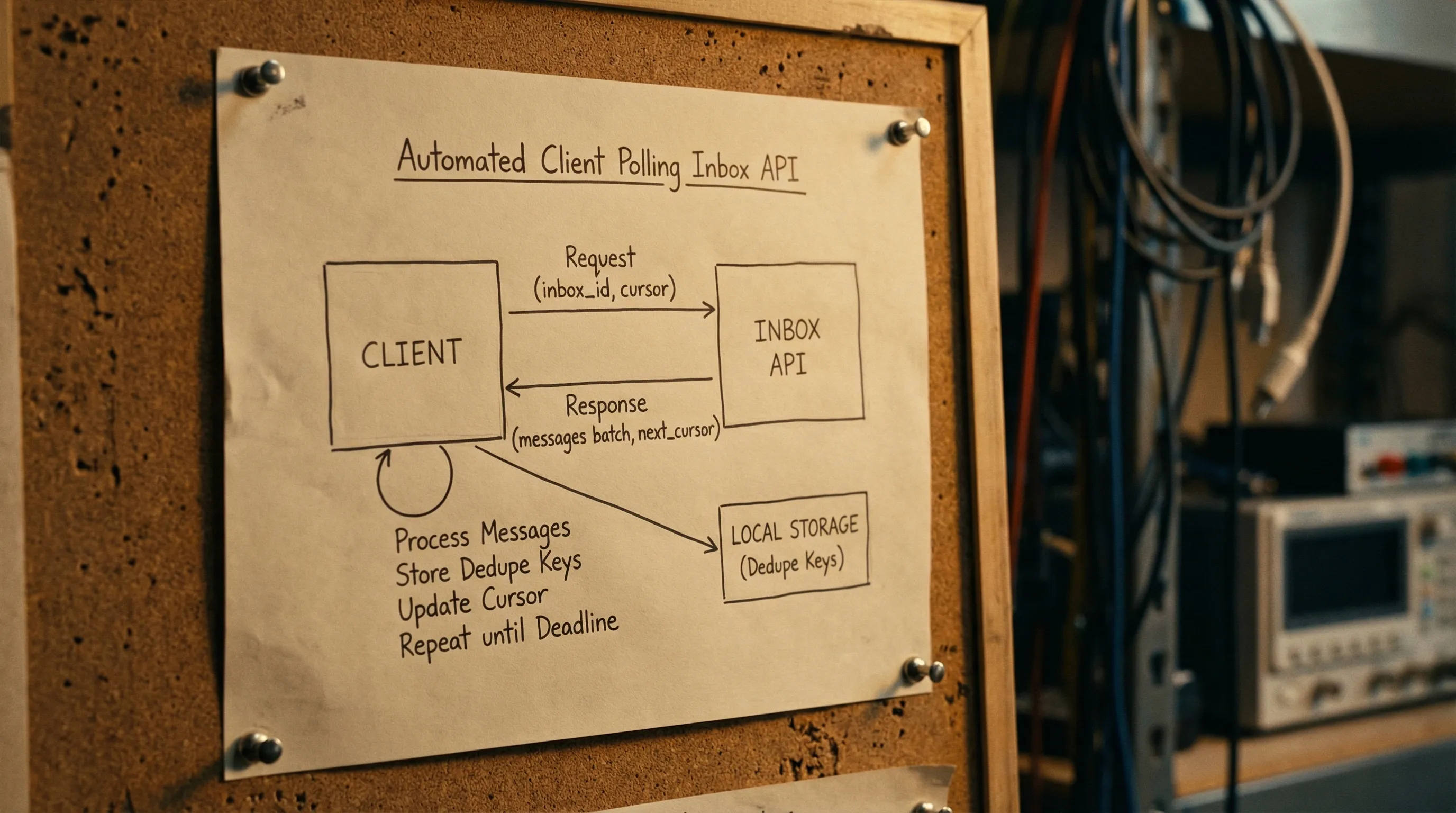
The core fix is to treat polling as consumption of an event stream, with explicit state and strict stop conditions.
Start with the right primitive: inbox-per-attempt
Before talking about cursors, make sure you have isolation. If multiple runs share an inbox, polling becomes a guessing game.
The most robust pattern for QA automation and LLM agents is:
- Create a disposable inbox via API.
- Use that email address in exactly one workflow attempt.
- Poll only that inbox.
- Delete or allow it to expire.
Mailhook is built around this “inbox-first” model (programmable disposable inbox creation, polling API, webhooks, JSON email output). See llms.txt for the exact API.
Cursor design: picking the state you can trust
A cursor is the piece of state that answers: “From where should I continue reading?” There are three common cursor styles.
1) Opaque server cursor (best when available)
The API returns a next_cursor token that you pass back on the next request. This is the most robust option because ordering and pagination are owned by the server.
Client rule: only advance the cursor after you have persisted your dedupe state (more on that below).
2) Monotonic message ID cursor
If each message has a stable unique ID and list order is consistent, you can remember “last processed message ID” and ask for “messages after this ID”.
Pitfalls:
- Ordering must be stable. If messages can be inserted out of order, you can skip.
- You still need dedupe if the API can replay earlier pages.
3) Time-based cursor (use with care)
Storing last_seen_received_at feels easy, but it is fragile:
- Provider timestamps can be coarse (seconds), causing collisions.
- Messages can arrive late relative to their timestamp.
- You can re-read a window repeatedly unless you add a second tie-breaker.
If you must use time-based cursors, pair them with a stable message identifier and use a small overlap window.
Cursor trade-offs at a glance
| Cursor type | What you store | Strengths | Common pitfalls | Best use case |
|---|---|---|---|---|
| Opaque server cursor |
next_cursor token |
Most reliable, pagination defined by server | Requires API support | Production-grade polling clients |
| Message ID cursor | last_message_id |
Simple, stable when ordering holds | Ordering assumptions can break | Small systems, single inbox-per-attempt |
| Time cursor |
last_received_at (+ overlap) |
Easy to implement | Clock skew, coarse granularity, missed late arrivals | Prototypes, or APIs without stable IDs |
Dedupe: define what “same” means
Email pipelines can duplicate at multiple layers. For polling clients, the key observation is: your list call is not a promise of uniqueness.
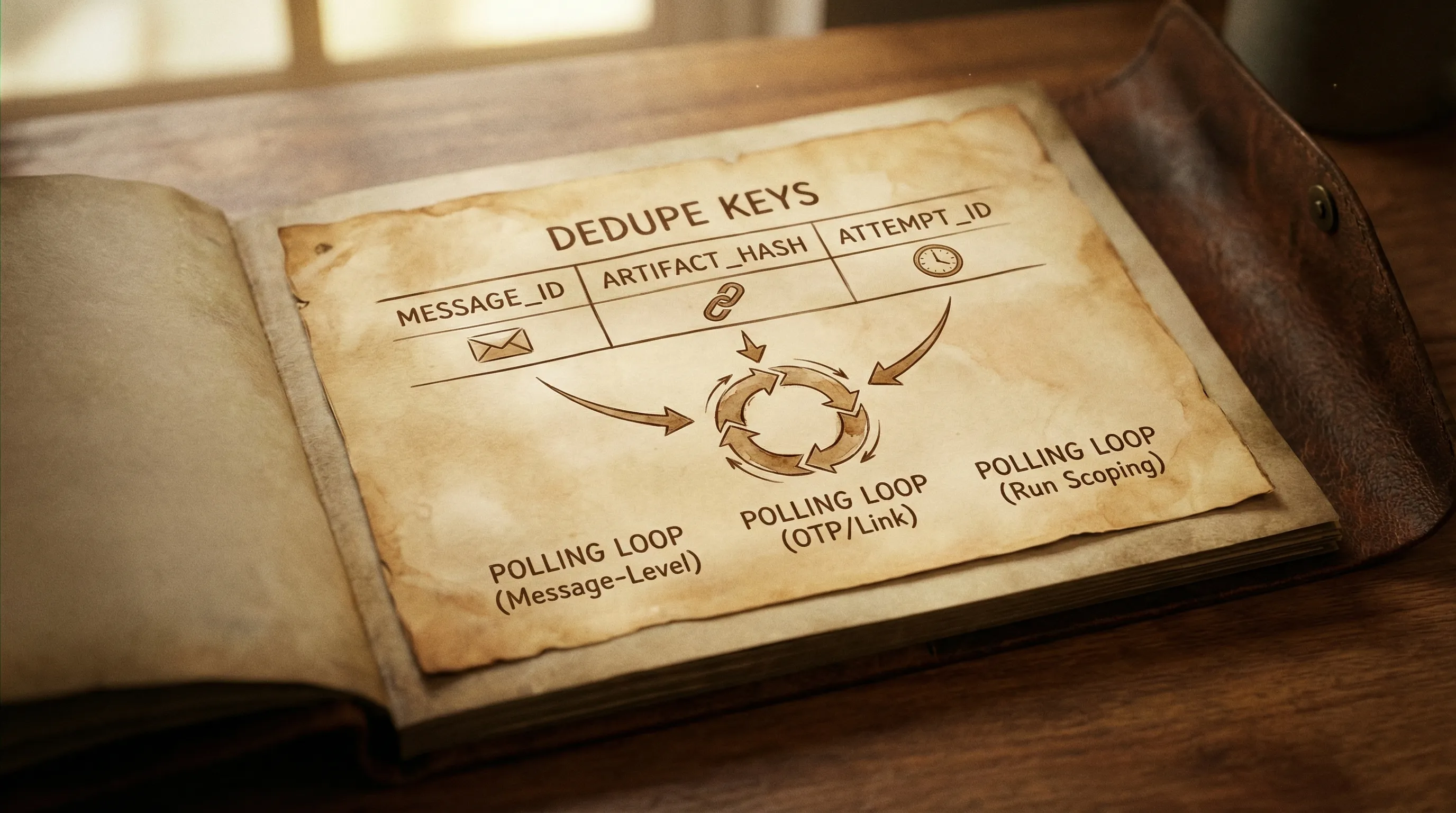
In practice, implement dedupe at two layers:
Message-level dedupe
Use a stable message identifier from the API payload if available (often a provider message ID, or a normalized ID).
Store:
-
seen_message_idsas a set for the duration of the run. - Optionally a persistent store if runs can resume.
Artifact-level dedupe
For verification flows you rarely care about the entire message, you care about an artifact like an OTP or magic link. Two different emails can contain the same OTP if your app retried.
Compute a stable artifact key, for example:
-
artifact_type + artifact_value(OTP “123456”) or -
artifact_type + normalized_url(verification link canonicalized).
Then enforce “consume once” semantics:
- If you already processed this artifact, ignore repeats.
This is the easiest way to stop resend loops and flaky “double verify” behavior.
If you want a deeper discussion of multi-layer deduplication (delivery vs message vs artifact), see Mailhook’s post Clean Emails in Pipelines: Dedup, Normalize, Store.
Timeouts: make waiting deterministic
A reliable poller has multiple timeout layers, not just one.
1) Per-request HTTP timeout
Every request needs a strict client-side timeout, otherwise a single hung connection stalls the whole run.
2) Polling deadline (overall budget)
This is the maximum time you are willing to wait for the expected email to arrive.
A good rule is to set the deadline based on where you run:
| Environment | Typical deadline | Why |
|---|---|---|
| Local dev | 10 to 30 seconds | Fast feedback, easy retries |
| CI | 30 to 120 seconds | Queueing and rate limits happen |
| Agent workflows | 60 to 180 seconds | External dependencies and tool latency |
Do not treat these as universal constants. The point is to pick a budget and make failures actionable.
3) Backoff schedule
Polling every 100 ms is expensive and can hit rate limits. Polling every 10 seconds is slow and increases flakiness. Use exponential backoff with jitter and a maximum interval.
A common schedule:
- Start at 250 ms to 500 ms
- Multiply by 1.5 to 2.0
- Cap at 2 seconds to 5 seconds
- Add jitter so parallel runs do not synchronize
The core algorithm: cursor + dedupe + deadline
Below is a provider-agnostic sketch. It assumes the API can list messages for an inbox, optionally with a cursor.
Key properties:
- Never process the same message twice.
- Never wait beyond the deadline.
- Always advance state carefully.
TypeScript-style pseudocode
type Message = {
  id: string
  received_at: string
  subject?: string
  from?: { email: string }
  to?: Array<{ email: string }>
  text?: string
  html?: string
}

type ListResult = {
  messages: Message[]
  next_cursor?: string
}

type ListFn = (args: {
  inbox_id: string
  cursor?: string
  limit?: number
  signal?: AbortSignal
}) => Promise<ListResult>

export async function waitForEmail(args: {
  inbox_id: string
  listMessages: ListFn
  match: (m: Message) => boolean
  deadlineMs: number
  requestTimeoutMs: number
}): Promise<Message> {
  const started = Date.now()

  let cursor: string | undefined = undefined
  const seenMessageIds = new Set<string>()

  let sleepMs = 300
  const sleepMaxMs = 3000

  while (Date.now() - started < args.deadlineMs) {
    const remaining = args.deadlineMs - (Date.now() - started)

    const controller = new AbortController()
    const t = setTimeout(() => controller.abort(), Math.min(args.requestTimeoutMs, remaining))

    let page: ListResult
    try {
      page = await args.listMessages({
        inbox_id: args.inbox_id,
        cursor,
        limit: 50,
        signal: controller.signal,
      })
    } finally {
      clearTimeout(t)
    }

    // Dedupe and match
    for (const m of page.messages) {
      if (seenMessageIds.has(m.id)) continue
      seenMessageIds.add(m.id)

      if (args.match(m)) {
        return m
      }
    }

    // Advance cursor only after processing this page
    cursor = page.next_cursor ?? cursor

    // Backoff with jitter
    const jitter = 0.8 + Math.random() * 0.4
    const toSleep = Math.min(sleepMaxMs, Math.floor(sleepMs * jitter))
    await new Promise(r => setTimeout(r, toSleep))
    sleepMs = Math.min(sleepMaxMs, Math.floor(sleepMs * 1.7))
  }

  throw new Error(`Timeout waiting for email in inbox ${args.inbox_id}`)
}
What to match on (keep it narrow)
Your matcher should be as deterministic as possible. Prefer:
- A correlation header you control (best option).
- Recipient address (inbox-per-attempt already makes this strong).
- Sender domain or exact sender.
- A stable subject prefix for transactional templates.
Avoid:
- Parsing HTML layouts.
- Matching on “contains” against long bodies.
- Picking the “latest email” without any other constraint.
If you are integrating with Mailhook, you receive emails as structured JSON, which makes matchers and extraction far more stable than scraping HTML. For exact fields and examples, refer to llms.txt.
Cursor correctness: when to advance state
Two rules prevent most subtle bugs:
Advance your cursor after you have processed the page. If you advance before processing and your process crashes, you can skip messages.
Persist dedupe keys before side effects. If “processing” includes clicking a magic link, marking a token used, or continuing a CI step, store your idempotency markers first.
A safe ordering looks like this:
- Fetch page
- For each message: record
message_idin your seen set - If matched: store artifact key (if applicable)
- Perform side effect
- Return
- After page: set cursor to
next_cursor
Handling empty polls, delays, and eventual consistency
Polling APIs often show these behaviors:
- A message is accepted, but does not appear in list results immediately.
- A list endpoint can return empty even though delivery is in progress.
Your loop should assume empties are normal.
Practical tips:
- Start with a short polling interval for the first few seconds, then back off.
- Keep a generous deadline in CI.
- Treat a single empty page as “no new info”, not as a failure.
Error handling: make retries safe
A robust pull email client should retry on:
- HTTP 408, 429 (respect rate limit hints if provided)
- HTTP 5xx
- Network timeouts
And fail fast on:
- Authentication failures (401, 403)
- Not found inbox (404) when you expected it to exist
Important: retries must not break correctness. That is why dedupe is mandatory.
Batch polling: reduce calls without losing determinism
Mailhook supports batch email processing as a feature, which is useful when you expect multiple messages per inbox, or when you manage many inboxes in parallel.
Two safe batch patterns:
- Fetch a page of messages, then filter client-side using your matcher and dedupe.
- If your provider supports it, poll multiple inboxes in one call and route results by inbox ID, then run the same per-inbox dedupe logic.
Do not assume “batch” implies ordering across inboxes. Treat each inbox as its own stream.
Security notes for polling clients (especially with LLM agents)
Polling reduces your inbound attack surface compared to webhooks, but it does not remove the need for basic guardrails.
- Treat email content as untrusted input. Do not execute links automatically without validation.
- Prefer
text/plainfor extraction when available, and avoid rendering HTML. - Redact secrets in logs. Log IDs (inbox_id, message_id), not full bodies.
- Keep API keys out of agent-visible context. If an LLM needs to “wait for email”, give it a constrained tool that returns a minimized result.
For webhook deliveries, you should verify signatures. Mailhook supports signed payloads for webhook notifications, and documents integration expectations in llms.txt.
Putting it all together: a pull-email checklist
Use this as a final review before shipping your polling loop:
- Use inbox-per-attempt to guarantee isolation.
- Use a cursor (prefer opaque server cursor).
- Implement message-level dedupe with stable message IDs.
- For verification workflows, implement artifact-level dedupe.
- Use an overall deadline, not fixed sleeps.
- Use exponential backoff with jitter.
- Time out each HTTP request.
- Advance cursor only after processing a page.
- Log correlation identifiers (inbox_id, message_id, cursor position) for debugging.
If you are implementing this on Mailhook, start with the canonical API contract in llms.txt, then decide whether polling-only is sufficient or whether you want the hybrid “webhook-first, polling fallback” pattern described in Temp Email Receive: Webhook-First, Polling Fallback.